
Learn AI art step by step
Latest tutorial
Section titled “Latest tutorial”
ComfyUI IPAdapter Plus V2 FaceID: Beginner's Tutorial
Video, free workflow file, copy-paste model commands, numbered nodes and fixes for common errors.
All ComfyUI tutorials
Section titled “All ComfyUI tutorials” Inpainting with Differential Diffusion
 ComfyUI: InstantID
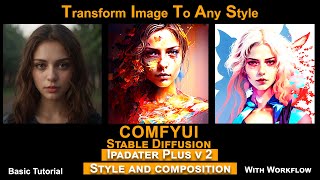 ComfyUI IPAdapter Plus 2: Style and Composition
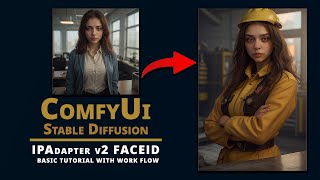 Files + guideComfyUI IPAdapter Plus V2 FaceID: Beginner's Tutorial
 ComfyUI IPAdapter Plus: Basic Tutorial & Setup Guide
 ComfyUI Beginner's Guide to 4X Ultra Sharp
 Adding More Face Details with ComfyUI
 Straight Pipelines & CPU Usage Indicator in ComfyUI
 Easy Image Upscaling with ComfyUI: Beginner's Guide
 ComfyUI Basic Nodes Tutorial for Beginners
 ComfyUI Tutorial for Beginners: Workflow Part 2
 ComfyUI Tutorial for Beginners: Workflow
See the full ComfyUI playlist on YouTube ↗
Questions and answers
Section titled “Questions and answers”What is ComfyUI?
ComfyUI is a free program for making AI pictures and videos on your own computer. You connect small boxes (nodes) with wires to build a workflow. Start with the beginner videos above.
Are the tutorials and files really free?
Yes. Every video, workflow file and practice image on this site is free to download and use.
What computer do I need?
A Windows PC with an NVIDIA graphics card works best. Each tutorial lists the models it uses and their sizes, so you can check your disk space before you start.
Where do I put the model files?
Each tutorial has a table with the file name and the folder it goes in, plus a PowerShell command that downloads the models into the right folders for you.
I got an error. Where can I ask?
First check the Questions and fixes part of that tutorial. If your problem isn’t there, ask in the comments below or under the tutorial (just type your name, no sign-in), or comment on the YouTube video.
Comments
Section titled “Comments”Ask a question, suggest a tutorial, or say hi.
About Learn AI Labs
Section titled “About Learn AI Labs”I make simple AI tutorials that anyone can follow. Every video is tested on a normal laptop, every node is numbered, and every file is free to download. More about me →
Join the mailing list
Get an email when a new tutorial and its free files are ready. No spam, unsubscribe anytime.
Signup opens soon.